Your inbox is full. Your calendar is packed. And you still have real work to do. AI tools can help reduce this daily workload.
AI productivity tools use artificial intelligence to handle repetitive tasks, draft content, summarize documents, transcribe meetings, and organize schedules, giving you more time for important work.
Microsoft’s 2025 Work Trend Index found that 75% of knowledge workers use AI at work, showing how quickly these tools are becoming part of everyday work.
This guide covers the best AI productivity tools for 2026, including what they do, who they are best for, and whether they are free or paid.
How I Selected the Best Productivity Tools
I personally used these AI productivity tools for day-to-day tasks such as generating ideas, summarizing notes, organizing information, and managing routine work.
They helped me save time on repetitive tasks, so I could focus more on work that needed my own input, creativity, and personalization.
Here is how I picked these tools.
Every AI productivity app on this list had to meet five criteria.
- Real use case. Each tool solves a clear problem, like taking meeting notes or writing a first draft.
- Ease of use. You should be able to start using it within minutes, without a steep learning curve.
- Free and paid options. Most people want to try a tool before they pay for it.
- Integration. The tool should connect with apps you already use, like Gmail, Slack, or your calendar.
- Trust and reviews. Every price and feature here was checked against official pricing pages and current reviews.
AI Productivity Tools at a Glance
A quick side-by-side view of every tool covered in this guide.
| Tool | Category | Main Use |
| ChatGPT | Assistant | Writing, problem-solving, coding |
| Claude | Assistant | Writing, analysis, coding |
| Perplexity | Research | Sourced answers |
| NotebookLM | Knowledge | Research and summaries |
| Notion AI | Knowledge | Workspace and summaries |
| Otter.ai | Meetings | Transcription and notes |
| Granola | Meetings | Meeting notes |
| Zapier | Automation | Workflow automation |
| Reclaim.ai | Scheduling | Calendar and tasks |
| Morgen | Scheduling | Calendar and AI planning |
Best AI Productivity Tools by Category
Here are the best AI tools for study and work, grouped by what they do best. Each one includes what it does, who it is best for, how it helps productivity, and its price.
1. General Assistants and Research
ChatGPT, Claude, and Perplexity are helpful AI writing assistants for research, writing, analysis, coding, and problem-solving.
ChatGPT
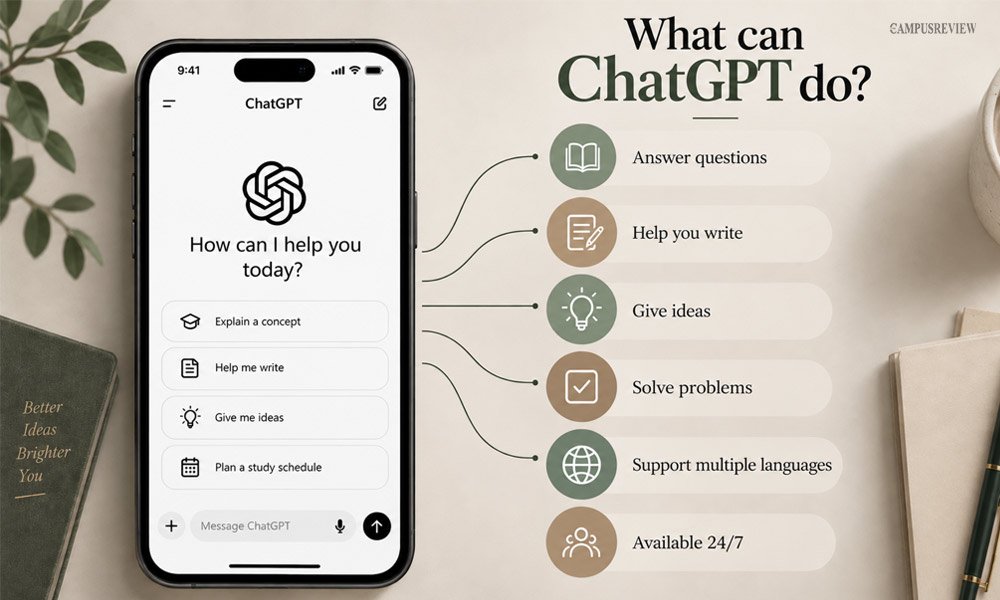
ChatGPT is an AI chatbot from OpenAI. It writes, edits, brainstorms, and answers questions in plain conversation. You type what you need, and it works out a draft, a plan, or an explanation almost instantly, across nearly any topic or format.
It also handles basic coding, image generation, and file uploads, so you can paste in a document and ask questions about it directly.
How it helps productivity: ChatGPT removes the blank-page problem. Instead of starting from nothing, you get a workable draft to edit, which cuts your first-draft time by half or more.
For example, if you are writing a scholarship application, you can ask ChatGPT to draft an outline based on your background, then rewrite each section in your own words.
Best for: Everyday writing, brainstorming, and quick research.
Price: Free plan available. The Plus plan costs $20 a month.
Claude
Claude is an AI assistant from Anthropic, built for careful writing and detailed analysis. It reads long documents in one go and gives clear, accurate answers instead of short, surface-level replies. It is known for sticking closely to the source material instead of guessing when it is unsure.
How it helps productivity: Claude keeps track of context across long files, so you do not lose the thread halfway through.
For example, you can upload a 30-page research paper and ask Claude to pull out the main arguments, the evidence used, and any gaps in the study, all in one clear summary.
Best for: Long documents, detailed writing, and coding help.
Price: Free plan available. The Pro plan costs $20 a month.
Perplexity
Perplexity is an AI-powered search engine. Instead of showing you a list of links, it reads across the web and gives you a direct answer, along with the sources behind that answer. Every claim in the response is footnoted, so you can click through and verify it yourself.
How it helps productivity: You skip the usual cycle of opening ten tabs and cross-checking facts by hand.
For example, if you are researching visa rules for studying abroad, you can ask Perplexity directly, and it returns a clear answer with links to the official pages it used.
Price: Free plan available. The Pro plan costs $20 a month.
Best for: Research that needs proof, not just an answer.
2. Notes and Knowledge Management
For making and organizing notes, NotebookLM and Notion AI are helpful AI note-taking tools.
Notion AI
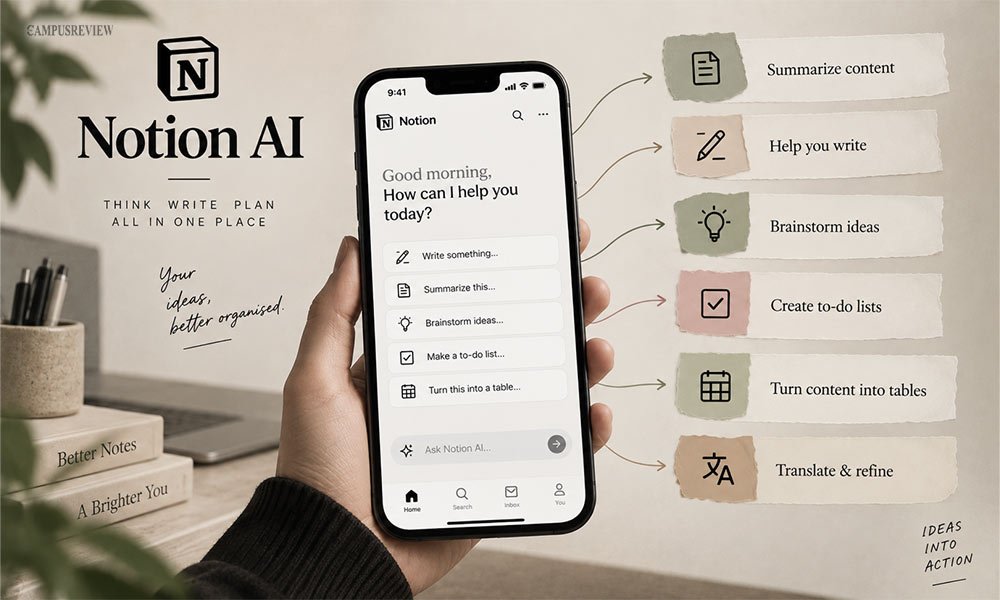
Notion AI helps you create, organize, and work with information in your Notion workspace. You can ask it to summarize your existing notes, improve writing, create outlines, or find information across your workspace.
Its AI Meeting Notes feature can also transcribe meetings and turn the transcript into summaries and action items. You can even upload an existing meeting recording for Notion AI to transcribe and summarize.
How it helps productivity: It cuts down on searching through old pages.
For example, instead of scrolling through weeks of project notes to find a decision your team made, you can ask Notion AI directly, and it pulls the answer straight from your workspace with a link to the source page.
Best for: People who already use Notion for notes, projects, or planning.
Price: Notion AI is now bundled into the Business plan, priced from $15 to $20 a month per user.
NotebookLM
NotebookLM, from Google, turns your own documents into summaries, study guides, and audio overviews. You upload your sources, and every answer it gives comes only from those documents, not the open internet. It can hold up to 50 sources per notebook on the free plan, which is enough for an entire course.
How it helps productivity: This keeps answers accurate and grounded in your own material.
For example, you can upload a semester’s worth of lecture notes and readings, then ask NotebookLM to build a study guide or generate an audio summary you can listen to on your commute.
Best for: Students and researchers working from a set of sources.
Price: Free, with generous limits. Paid tiers start at about $5 a month through Google AI plans.
3. Meetings and Transcription
Otter.ai and Granola are helpful AI productivity tools for recording, transcribing, and creating notes from meetings.
Otter.ai
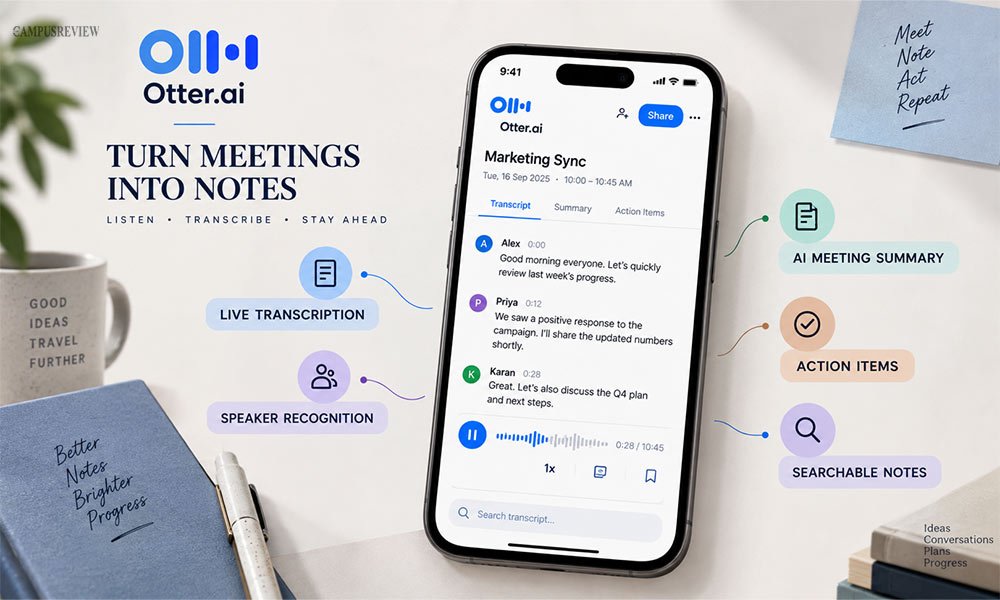
Otter.ai joins your calls on Zoom, Google Meet, or Microsoft Teams, and writes down what is said in real time. It creates a full transcript, plus a short AI summary once the call ends. You can also click any line in the summary to jump straight to that moment in the recording.
How it helps productivity: You can stay present in the conversation instead of typing notes the whole time.
For example, after a group project meeting, Otter.ai gives you a summary with clear action items, so nobody has to ask who was doing what afterward.
Best for: Frequent video calls and interviews.
Price: Free plan with 300 minutes a month. Paid plans start around $8.33 a month on annual billing.
Granola
Granola is a meeting notepad that listens quietly in the background during your call and turns your rough notes into a polished summary afterward. You jot down a few quick words as the call happens, and it fills in the rest.
How it helps productivity: Unlike some meeting tools, it does not send a bot into the call for others to see.
For example, during a one-on-one call with a professor or mentor, Granola captures audio from your own device, so the conversation feels normal, then hands you clean notes right after.
Best for: People who dislike a visible bot joining their calls.
Price: Free plan available. The Business plan starts at $14 a month per user.
4. Automation and Workflow Management
For workflow automation, Zapier is a useful option as it allows users to connect apps and automate multi-step workflows.
Zapier
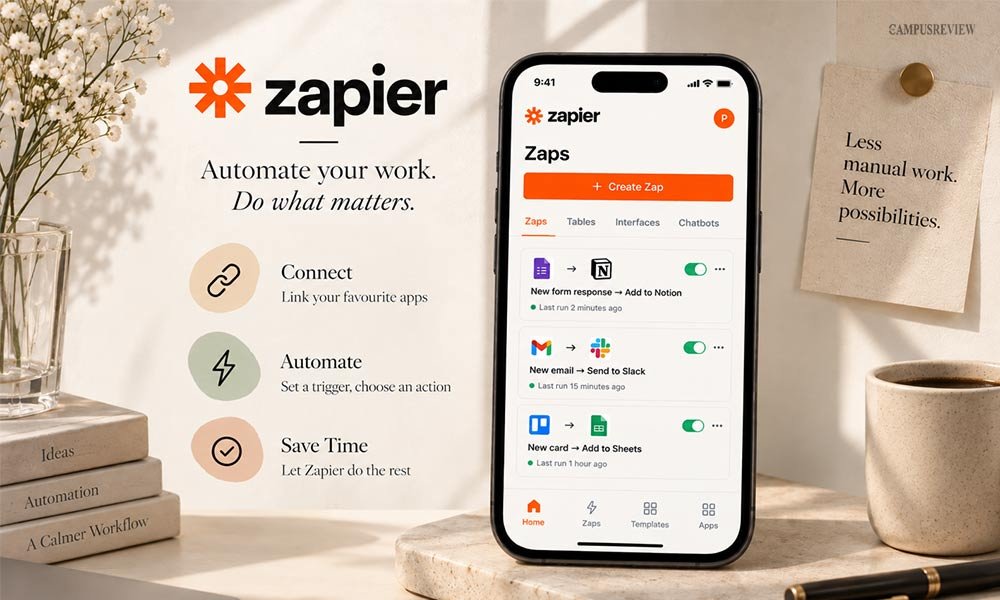
Zapier connects thousands of apps so they can pass information to each other automatically. When something happens in one app, it can trigger an action in another, without you lifting a finger. No coding is needed to set this up.
How it helps productivity: It removes manual copy-paste work between tools.
For example, you can set up a Zap that saves every email attachment from a scholarship provider straight into a labeled Google Drive folder, so you never have to do it by hand again. Zapier Copilot, its AI layer, can now build workflows like this for you from a plain instruction.
Best for: Repetitive tasks that involve more than one app.
Price: Free plan with 100 tasks a month. Paid plans start near $19.99 to $29.99 a month.
5. Scheduling and Time Management
For scheduling and time management, Reclaim.ai and Morgen are two of the best AI productivity tools that automate calendar planning and organize tasks.
Reclaim.ai
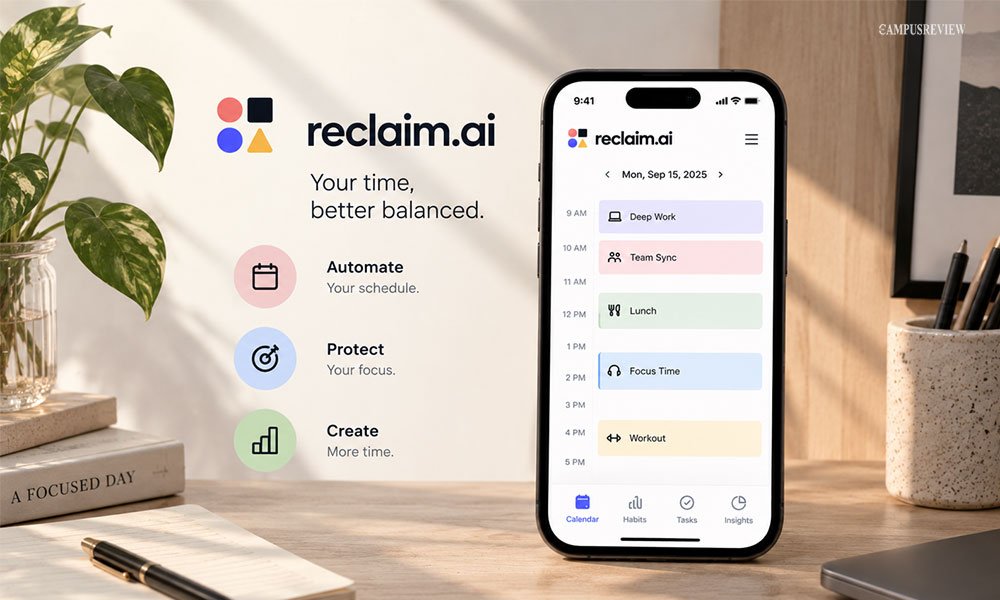
Reclaim.ai looks at your calendar and your task list together, then automatically blocks time on your calendar to get things done. It also protects habits, like a workout or a set study hour, the same way it protects a meeting.
How it helps productivity: As an effective AI scheduling tool, Reclaim protects focus time by shifting flexible tasks around fixed meetings.
For example, if you add “finish essay draft” as a task with a due date, Reclaim.ai finds free slots in your week and blocks them off automatically, then reschedules that block if a new meeting gets added later.
Best for: People juggling meetings, habits, and deadlines at the same time.
Price: Free Lite plan for individuals. Paid plans start at $10 a month per seat.
Morgen
Morgen brings all your calendars, like work, school, and personal, into one unified view, then uses AI to suggest a daily plan based on your tasks and existing events. It also connects to task apps like Todoist and Notion, so your to-do list feeds directly into your schedule.
How it helps productivity: You approve the AI’s suggested plan before anything changes, so nothing gets moved without your say.
For example, Morgen can look at your class schedule, a part-time job, and a study task list, then suggest exactly when to fit in each one, while leaving the final call to you.
Best for: People with multiple calendars who want one clear schedule.
Price: No permanent free plan. A 14-day free trial is available, then plans start at about $15 a month on annual billing.
How to Use AI Tools Effectively
Picking the right tool is only half the job. Here is how to actually save time with it, step by step.
1. Identify repetitive tasks. Look at your week and find tasks you repeat often, like writing similar emails or scheduling calls. These are the best tasks to hand to AI first.
2. Choose a tool based on the task. Do not use one tool for everything. Use ChatGPT or Claude for writing, Otter.ai for meetings, and Zapier for automating tasks between apps.
3. Give clear instructions. Vague prompts get vague results. Tell the AI exactly what you want, who it is for, and how long the output should be.
4. Connect relevant documents or apps when needed. Many tools work better when linked to your calendar, email, or notes, since this gives the AI real context instead of guesses.
5. Review AI-generated output. Always check AI work before you send it. AI can get facts wrong, miss your tone, or misread instructions.
6. Keep important workflows organized. Save your best prompts and automations so you are not starting from zero every time you sit down to work.
Common Mistakes to Avoid When Using AI Productivity Tools
Using one AI tool for every task. No single tool does everything well. Match the tool to the job instead of forcing one app to cover it all.
Giving vague prompts. “Write something good” will not work. Be specific about the goal, the audience, and the format you want.
Accepting AI output without checking it. AI can sound confident and still be wrong. Always double-check facts, numbers, and names before you use the output.
Automating workflows without reviewing them. An automation that runs unchecked can send the wrong file to the wrong person. Test any new automation before you trust it.
Using unnecessary tools for simple tasks. If a task takes two minutes by hand, you probably do not need an AI tool for it.
Final Thoughts
You do not need every AI tool on this list. Start with one. Pick the task that eats the most time in your week, then match it to a tool from this guide.
Most people start with a general assistant like ChatGPT or Claude, since these tools for daily tasks handle a wide range of work out of the box. From there, add a specialist, like Otter.ai for meetings or Reclaim.ai for your calendar, as the need comes up.
The goal stays simple: less time on busywork, more time on work that actually matters.
Frequently Asked Questions
1. What is the difference between an AI assistant and an AI productivity tool?
An AI assistant helps with many tasks, while an AI productivity tool usually focuses on specific tasks such as scheduling, note-taking, or automation.
2. Which AI tool is best for summarizing notes?
NotebookLM is one of the best tools for summarizing notes and documents because it works with the sources you provide.
3. Are AI productivity tools useful for students?
Yes. Students use tools like NotebookLM to summarize readings, Perplexity to research with sources, and ChatGPT or Claude to organize study notes and practice explanations.
4. What are the best free AI tools for business?
Free AI tools for business include ChatGPT, Claude, Perplexity, Notion AI, and Zapier, which can help with tasks such as writing, research, information management, and workflow automation.
5. What are the best free AI tools for productivity?
ChatGPT, Claude, Perplexity, and NotebookLM are useful free options for AI tools for productivity, although their features and usage limits may vary.