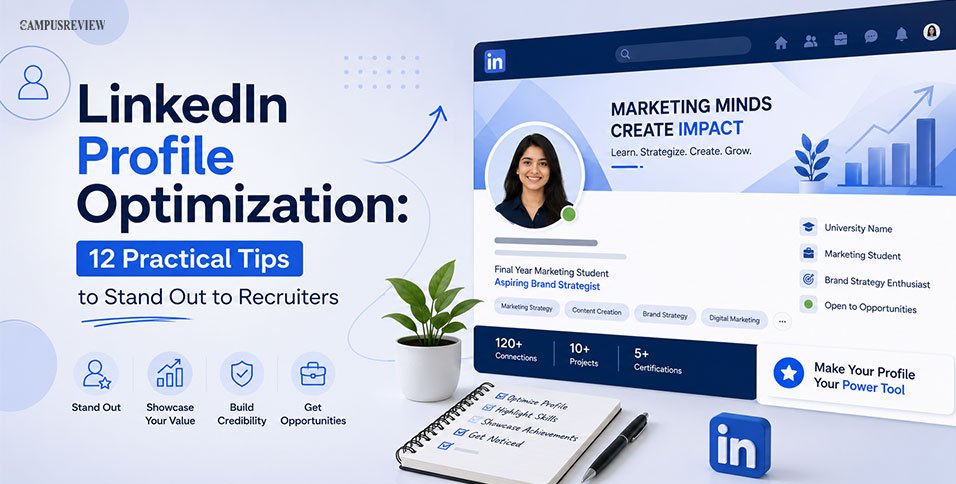
Your LinkedIn profile gets less than ten seconds to make an impression. In that short window, recruiters and professors either scroll on or stop to learn more about you.
If you are wondering how to optimize your LinkedIn profile, the answer is simple: fill every section with clear, honest, and keyword-rich details that show who you are and what you can do.
This guide walks you through 12 simple steps to create a professional profile that showcases your skills and projects, and lets you get started with LinkedIn profile optimization
Why LinkedIn Profile Optimization Matters for Students
Recruiters search LinkedIn before going trough you resume, using job titles and skills, so a complete, keyword-rich profile is more likely to be discovered. LinkedIn profile optimization will help you:
- Get found: Appear in recruiter searches before you even apply.
- Build trust: A complete profile with a professional photo and clear information looks credible.
- Unlock opportunities: Increase your chances of internships, referrals, and mentorships.
Since LinkedIn now understands context, not just keywords, your profile should sound natural while clearly highlighting your skills and achievements.
The 12-Step Guide for LinkedIn Profile Optimization
Use this table as your quick roadmap for your LinkedIn profile optimization journey and enhance your LinkedIn profile section by section. Each row links to a full explanation below.
| Step | What to Do | Time Needed |
| 1 | Choose a clear, friendly profile photo | 10 min |
| 2 | Add a background banner that says something | 20 min |
| 3 | Write a headline that gets you found | 15 min |
| 4 | Turn your About section into your story | 30 min |
| 5 | Add experience, internships, and part-time work | 20 min |
| 6 | Make your education section work for you | 15 min |
| 7 | Pick skills recruiters actually search for | 10 min |
| 8 | Add certifications and courses | 10 min |
| 9 | Customize your profile URL | 5 min |
| 10 | Use the Featured section to show your work | 15 min |
| 11 | Turn on Open to Work the right way | 5 min |
| 12 | Start posting and engaging | Ongoing |
1. Choose a Clear, Friendly Profile Photo
A profile without a photo looks incomplete and gets skipped by both recruiters and LinkedIn’s search system. The steps for LinkedIn profile optimization start with your photo, which is the first thing anyone notices, so it needs to work hard.
What size should a LinkedIn photo be?
Use a photo that is at least 400 by 400 pixels. Your face should fill about 60 to 70 percent of the frame, so crop from your shoulders up.
Quick photo checklist for students:
- Look directly at the camera and smile naturally. Approachable photos perform far better than stiff, formal ones.
- Use a plain or lightly blurred background. Avoid busy hostel rooms or group photo crops.
- Wear something you would wear to an interview or campus presentation.
- Skip heavy filters. Natural lighting from a window works better than most filters.
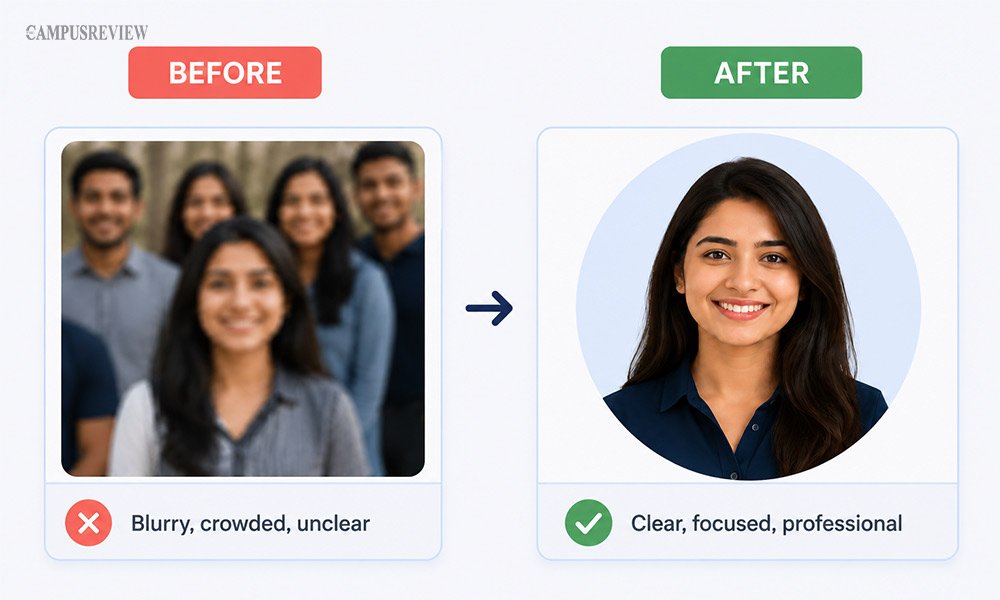
Student tip: Ask a friend to take your photo near a plain wall in daylight. You do not need a professional photographer to look polished.
2. Add a Background Banner That Says Something
Most students leave the banner blank or use the default LinkedIn design. This wastes free space at the top of your profile. For LinkedIn profile optimization, add a suitable banner image on your profile.
What is the correct LinkedIn banner size?
Upload an image that is 1584 by 396 pixels, which is a 4:1 ratio. Save it as a PNG so the text stays sharp.
Simple banner ideas for students:
- Your field of study plus what you are working toward, such as “Final Year Marketing Student | Aspiring Brand Strategist.”
- A short list of skills or tools you are learning.
- Your university name and a line about your focus area.
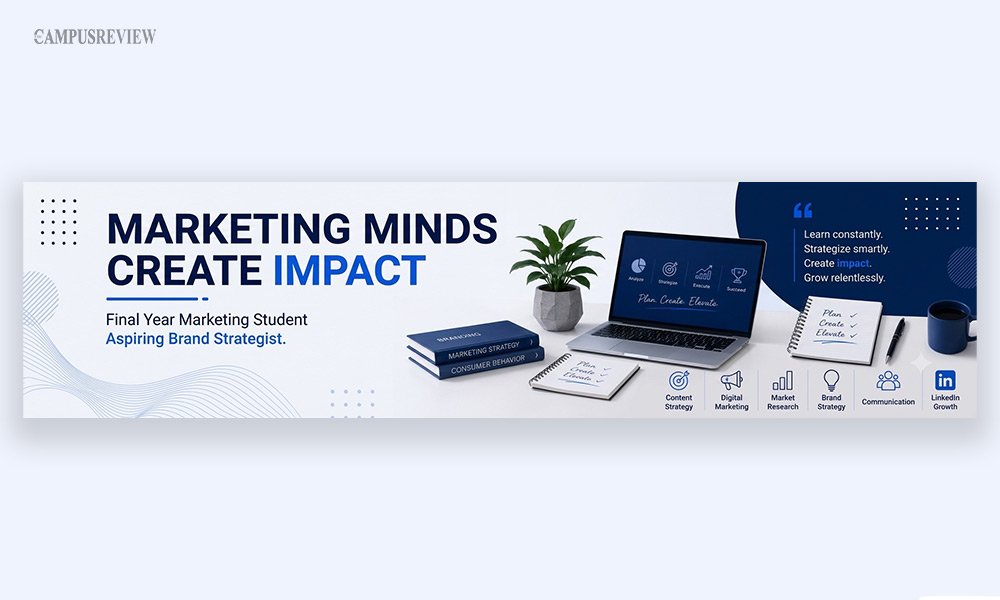
Avoid generic stock images of sunsets or city skylines. They fill space but tell visitors nothing about you.
3. Write a Headline That Gets You Found
Your headline is the single most important line on your profile. It shows up in search results, comments, and connection requests, so it works even when people are not on your profile page.
How many characters can a LinkedIn headline have?
LinkedIn allows up to 220 characters, but only the first 60 to 80 characters show on mobile and in search results. Put your most important words first.
What should students write without much work experience?
Skip generic words like “passionate” or “hardworking.” These add no search value and say nothing specific. Instead, combine your field, your focus, and a goal or skill.
Try this simple formula:
[Degree or Role] | [Focus Area or Skills] | [Goal or Achievement]
- Weak: “Student at XYZ University”
- Better: “Final Year Computer Science Student | Java, Python, SQL | Building AI Projects”
- Weak: “Passionate marketing enthusiast”
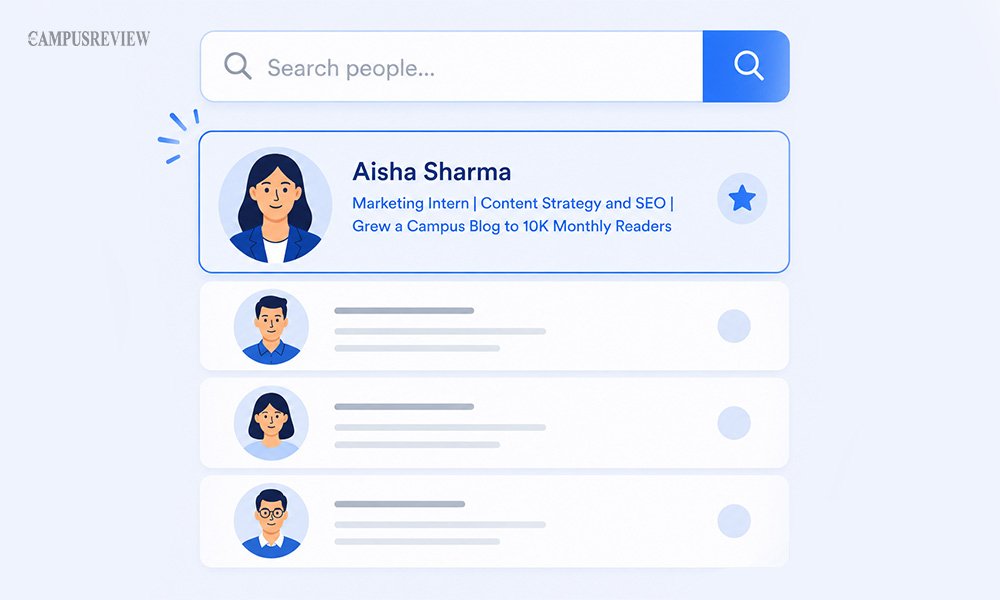
- Better: “Marketing Intern | Content Strategy and SEO | Grew a Campus Blog to 10K Monthly Readers”
If you are actively job hunting, do not write “seeking opportunities” in your headline. Use LinkedIn’s dedicated Open to Work feature instead, covered in step 11.
4. Turn Your About Section Into Your Story
How long should the About section be?
LinkedIn gives you up to 2,600 characters, but only the first 210 or so show before a visitor has to click “see more.” Use those opening lines wisely while writing your About section.
Do not start with “Hi, my name is…” LinkedIn already shows your name at the top. Instead, open with a hook that shows your value or interest.
- Weak hook: “I am a dedicated student studying finance with strong communication skills.”
- Strong hook: “Most students graduate without ever building a real financial model. I have built five, through coursework and a summer internship.”
A simple structure for a student About section:
- Opening hook (2-3 lines): What you are working on or curious about.
- Your background (3-4 lines): Degree, key coursework, and any projects or internships.
- What you bring (2-3 lines): Skills and tools you use, written naturally, not as a list.
- Call to action (1-2 lines): Invite people to connect or reach out, such as “Open to internship opportunities in data analytics. Feel free to connect.”
A well-written About section is a key part of LinkedIn profile optimization
What should I write if I have no experience?
Focus on academic projects, group assignments, competitions, and volunteer roles. Recruiters reading student profiles expect this and value initiative over years of experience.
5. Add Experience, Internships, and Part-Time Work
Should I add my part-time job? Yes, if you can connect it to a skill. A cafe job that involved handling cash and managing customers still shows responsibility and communication.
Do not just list your job duties. Use short, result-focused bullet points instead. A simple structure that works well:
Challenge → Action → Result
- Weak: “Responsible for social media posts.”
- Better: “Managed the college fest Instagram page during a low-engagement period. Posted daily reels and behind-the-scenes content. Grew followers by 40% in six weeks.”
For every role, write 3 to 5 bullet points. Mention the tools you used, such as Excel, Canva, or specific software, directly in the sentence. This helps both recruiters and LinkedIn’s search find you.
6. Make Your Education Section Work for You
How do I fill LinkedIn if I don’t have work experience?
Your education section is your biggest asset as a student. Do not leave it as just a degree name and year.
Add these details to strengthen it:
- Relevant coursework that matches your target field.
- Your thesis or major project topic, with a one-line summary.
- Any student leadership roles, such as club president or event coordinator.
- Attach files. Upload your best presentation, research paper, or project deck directly to this section to show your work.
This turns a plain education entry into proof of your skills, even before you have a job title to show for it.
7. Pick Skills Recruiters Actually Search For
How many skills should I add on LinkedIn?
Add up to 15 to 20 skills, but be specific. Recruiters filter by exact skill names, so “Python” works better than “good with computers.”
Steps to pick the right skills:
- Open 5 to 10 job postings in your target field and note which skills repeat.
- Pin your top 3 skills to the top of the section, matching your main career goal.
- Ask classmates or professors to endorse skills you have actually used together, such as a group project.
Avoid vague entries like “teamwork” alone. Pair soft skills with proof elsewhere in your profile, such as a bullet point in your experience section.
8. Add Certifications and Courses
Do LinkedIn Learning certificates count?
Yes. Any certificate from a recognized platform, including LinkedIn Learning, Coursera, or Google, adds credibility and searchable keywords to your profile.
When adding a certification, include:
- The issuing organization and the date you completed it.
- A credential ID or link, if the course provides one.
List your most relevant certifications first. A data analytics student should show a SQL or Excel certificate above an unrelated course, even if the unrelated one came first.
If you don’t have any certifications, apply for courses before applying for a job and mention that you are pursuing that course.
9. Customize Your Profile URL
How do I get a custom LinkedIn URL?
Go to your profile, click “Edit public profile & URL” in the top right corner, and change the auto-generated numbers to your first and last name.
A clean URL, such as linkedin.com/in/yourname, looks more professional on a resume or email signature than a string of random numbers. It also helps search engines index your profile correctly.
10. Use the Featured Section to Show Your Work
What should I put in the Featured section as a student?
Use this space to pin your strongest project, article, or presentation, right below your About section where visitors see it early.
Good options for students include:
- A link to a project on GitHub, Behance, or a personal portfolio site.
- A research paper or case study you are proud of.
- A post you wrote that received good engagement or useful feedback.
Pick one or two strong items rather than filling this section with everything you have ever made. Quality beats quantity here.
11. Turn On Open to Work the Right Way
How do I show recruiters I’m open to work without it looking public?
Use LinkedIn’s built-in Open to Work feature instead of writing it in your headline. Go to your profile, click the button below your photo, and fill in your target roles and locations.
You can choose to make this visible to everyone with the green photo frame, or restrict it to recruiters only. If you already have an internship or part-time job, the recruiter-only setting keeps your search private from your current employer.
12. Start Posting and Engaging
Do I need to post on LinkedIn?
You do not need to post daily, but staying active helps LinkedIn show your profile to more people. Even occasional posts with good content build visibility over time.
Easy ways to start:
- Share what you learned from a class project or internship in a short post.
- Comment thoughtfully on posts from professors, alumni, or companies you admire.
- Avoid generic comments like “Great post!” Add a real thought or question instead.
Consistent, genuine engagement does more for your visibility than a single perfectly written profile ever will.
Common Mistakes Students Make
Even with the best LinkedIn profile optimization tips in hand, small slip-ups can undo your effort. Avoid these mistakes. They are easy to fix once you know they exist.
| Mistake | Why It Hurts | Quick Fix |
| Leaving the photo blank | Profile looks incomplete and gets skipped in search | Add a clear, friendly headshot today |
| Using buzzwords like “passionate” or “hardworking” | These add no search value and sound generic | Replace with specific skills and results |
| Copying your resume word for word | Reads flat and misses natural keywords | Rewrite in a conversational, first-person tone |
| Ignoring the education section | Wastes your strongest asset as a student | Add coursework, projects, and leadership roles |
| Never posting or engaging | Limits how often LinkedIn shows your profile | Comment or post at least once a week |
Final Thoughts
LinkedIn profile optimization is not a one-time task. Treat it as a living document that grows with every project, internship, and skill you pick up.
Start with your photo and headline today, since these carry the most weight. Then work through the About section, experience, and skills over the next week.
A complete profile does more than attract recruiters. LinkedIn profile optimization helps you build a professional identity you can be proud of, long before you land your first full-time role.
FAQs
1. How long should a student’s LinkedIn profile be?
There is no fixed length for a LinkedIn profile. Focus on completeness over word count. Every major section, including photo, headline, About, education, and skills, should be filled in with specific, relevant details.
2. Can I optimize my LinkedIn profile without any work experience?
Yes, you can optimize your LinkedIn profile without any work experience. Use your education, projects, internships, volunteer work, and coursework to fill the experience gap.
3. How often should I update my LinkedIn profile for better LinkedIn profile optimization?
Update your LinkedIn profile whenever something changes, such as a new project, internship, or certificate. A quick review every few months also helps you refresh keywords and remove outdated information.
4. Does a LinkedIn profile really help with job hunting?
Yes. Many recruiters search LinkedIn directly before checking job boards. A complete, keyword-rich profile increases your chances of being found, even for roles you have not applied to yet.